Email Migration
Business Email Migration Services
Planned business email migration between providers, including mailbox inventory, DNS planning and post-migration verification.
Independent service provider
Infinity Techiez is an independent IT services provider and is not affiliated with, endorsed by or sponsored by any email, hosting or technology platform vendor referenced on this page. All trademarks and brand names are the property of their respective owners.
What this service covers
Email migration is one of the most sensitive technology changes a business can make. Messages, calendars, contacts and years of correspondence need to move from one platform to another without being lost or corrupted. At the same time, users need to keep working and external senders need to keep reaching you.
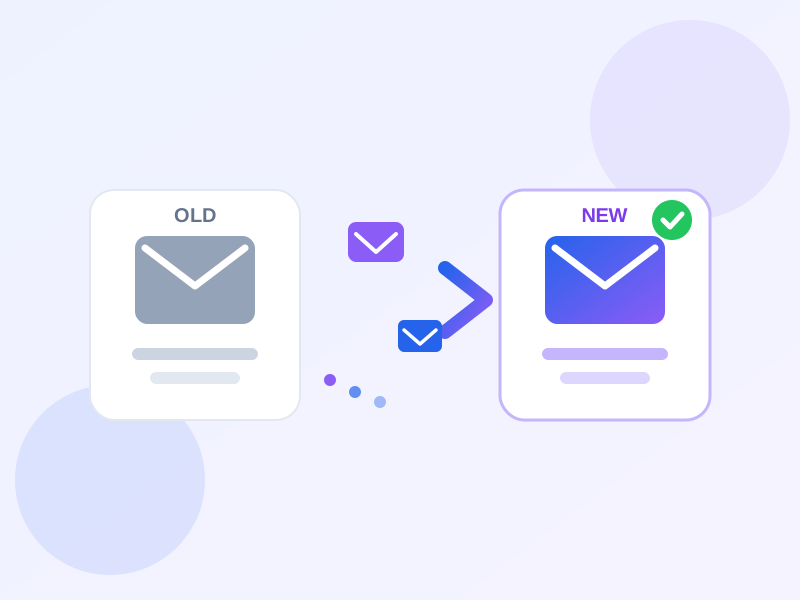
Infinity Techiez provides independent business email migration services for organizations moving between providers or consolidating email platforms. We do not promise zero downtime or guaranteed outcomes; instead, we plan the work carefully, communicate timing clearly and verify the result before final handover.
- Service category
- Business Email
- Best suited for
- Businesses changing email providers
- Core service
- Business Email
What we help with
Practical assistance for the areas that matter most to your business.
Migration planning
Define scope, timeline, user impact and rollback options before any changes are made.
Mailbox inventory
List existing mailboxes, aliases, groups and data volumes so nothing is missed.
DNS and domain planning
Prepare MX, SPF, DKIM and DMARC changes needed for the new platform.
Account preparation
Create destination accounts, configure licenses and set up access before the move.
Post-migration checks
Verify that mailboxes, folders, calendars and contacts arrived correctly and users can access them.
Authentication verification
Confirm that SPF, DKIM and DMARC records are working on the new platform.
Everyday email tasks we handle
The most common email jobs businesses ask us about — from provider migrations to fixing delivery problems.
Email migration between providers
Move mailboxes between providers — for example comcast.net to Yahoo Mail, or ISP email to a business platform — keeping messages, folders and contacts intact.
Bulk email deletion & cleanup
Remove large volumes of old or unwanted messages safely, free up mailbox storage and organize folders without losing anything important.
IMAP / POP server setup
Configure IMAP or POP incoming mail settings correctly so email syncs reliably across webmail, desktop and mobile.
Email client setup
Set up Outlook, Apple Mail, Thunderbird, mobile mail apps and webmail with the right server, port and security options.
Email not receiving
Diagnose why messages are not arriving — DNS or MX record problems, full mailboxes, filters, blocked senders or server-side issues.
Email not sending
Fix outgoing mail failures — SMTP settings, authentication errors, port blocks, sending limits and reputation problems.
Domain MX record setup
Create or correct MX, SPF, DKIM and DMARC records so mail for your domain routes to the right servers and passes authentication checks.
Email forwarding setup
Configure forwarding, aliases and catch-all addresses so messages reach the right mailbox — and review forwarding before migrations.
Key benefits
What you can expect from this service.
Planning before migration
A successful migration starts with a clear inventory of what exists today: mailboxes, aliases, distribution lists, shared mailboxes, calendars, contacts and data volumes. Knowing what you have prevents surprises during the move.
We also map dependencies such as forwarding rules, third-party integrations, mobile device profiles and client settings that may need to be recreated on the new platform.
DNS timing and cutover
DNS changes control when email starts arriving at the new system. We plan MX record updates carefully, lowering TTL values in advance where possible and scheduling cutover during low-traffic periods.
After cutover, we monitor delivery and verify that senders can reach the new mailboxes without excessive delay or rejection.
What migration cannot do
No migration can guarantee that every message from every sender arrives instantly or that third-party systems will recognize the change immediately. Propagation and external caching are outside our control.
We aim to reduce risk through planning, testing and communication rather than making guarantees that depend on factors outside anyone's control.
Common business scenarios
Situations where this service is most useful.
Moving to a new email provider
A business wants to move from an existing provider to a different platform for cost, features or manageability.
Consolidating multiple email systems
An organization has multiple email accounts or providers and wants to consolidate into one manageable environment.
Merging after an acquisition
Two businesses need to combine email environments while preserving messages and minimizing confusion.
Technical considerations
Details that affect reliability, timing and deliverability.
Large mailboxes and archives can extend migration time; plan bandwidth and timing accordingly.
Email connected to CRM, marketing or backup tools may need reconfiguration after migration.
SPF, DKIM and DMARC should be ready on the new platform before or immediately after cutover.
Know how to revert MX and other DNS changes if the migration encounters unexpected issues.
Security considerations
Measures that help protect accounts, data and domain reputation.
Limit admin access during migration and ensure MFA is enabled on both old and new systems.
Migration periods can create confusion that attackers exploit; brief users on what to expect.
Decide what happens to old mailboxes and archives after the move is complete.
How we work
A clear, transparent approach from initial review to handover.
Scope
Define which mailboxes, data and services need to move and what stays behind.
Inventory
List existing accounts, aliases, groups, data volumes and special configurations.
Design
Plan the destination structure, user mapping, DNS changes and authentication approach.
Prepare
Create destination accounts, configure licenses and set up security settings.
Migrate
Move messages, calendars and contacts in planned phases with communication to users.
Validate
Verify mail flow, client access, authentication and data completeness before closing the project.
Who this is for
Organizations and situations where this service is most useful.
Related services
Core Infinity Techiez services and related pages.
Frequently asked questions
Practical answers about this service.
Planning a business email migration?
Tell us about your current environment and where you want to move. We can outline a practical migration plan.