Provider-Specific Email Services
Gmail & Business Email Configuration
Independent help with Gmail and Google Workspace business email configuration, DNS, authentication and migration.
Independent service provider
Infinity Techiez is an independent technology services provider and is not affiliated with, sponsored by, or endorsed by Google.
What this service covers
Gmail is familiar to many users, but there is an important distinction between consumer Gmail accounts and Google Workspace business email. For business use, a domain-based address with admin controls, security settings and centralized management is usually more appropriate.
Infinity Techiez provides independent technology services for businesses that need help with Gmail or Google Workspace email. We are not Google, we are not affiliated with Google, and we are not an official Google service channel. Our role is to help you configure, administer and troubleshoot the email environment you already have or are considering.
- Service category
- Business Email
- Provider context
- Independent assistance for Google environments
- Best suited for
- Businesses using consumer Gmail for work
- Core service
- Business Email
What we help with
Practical assistance for the areas that matter most to your business.
Account configuration
Set up Gmail or Google Workspace business email accounts with correct settings for your domain.
Domain email setup
Configure business email using your own domain rather than a generic Gmail address.
DNS and MX records
Configure DNS records so your domain routes email to Google Workspace or another platform correctly.
Authentication
Set up SPF, DKIM and DMARC records for better deliverability and reduced spoofing risk.
Migration planning
Plan moves from other email systems to Google Workspace or from Google Workspace to another platform.
Ongoing administration
Manage users, aliases, groups and security settings in Google Workspace as your team changes.
Everyday email tasks we handle
The most common email jobs businesses ask us about — from provider migrations to fixing delivery problems.
Email migration between providers
Move mailboxes between providers — for example comcast.net to Yahoo Mail, or ISP email to a business platform — keeping messages, folders and contacts intact.
Bulk email deletion & cleanup
Remove large volumes of old or unwanted messages safely, free up mailbox storage and organize folders without losing anything important.
IMAP / POP server setup
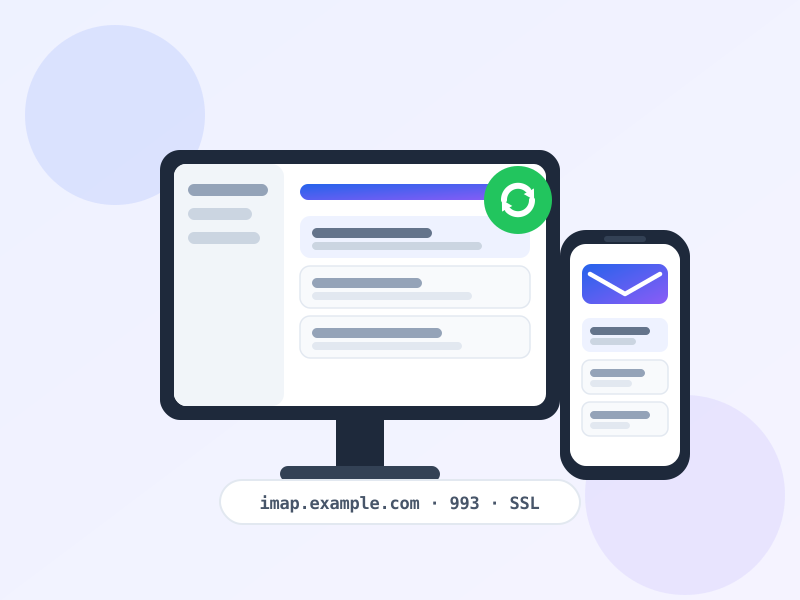
Configure IMAP or POP incoming mail settings correctly so email syncs reliably across webmail, desktop and mobile.
Email client setup
Set up Outlook, Apple Mail, Thunderbird, mobile mail apps and webmail with the right server, port and security options.
Email not receiving
Diagnose why messages are not arriving — DNS or MX record problems, full mailboxes, filters, blocked senders or server-side issues.
Email not sending
Fix outgoing mail failures — SMTP settings, authentication errors, port blocks, sending limits and reputation problems.
Domain MX record setup
Create or correct MX, SPF, DKIM and DMARC records so mail for your domain routes to the right servers and passes authentication checks.
Email forwarding setup
Configure forwarding, aliases and catch-all addresses so messages reach the right mailbox — and review forwarding before migrations.
Key benefits
What you can expect from this service.
Gmail vs Google Workspace for business
Consumer Gmail accounts are free and easy to use, but they lack the admin controls, domain-based addresses and centralized management that most businesses need. Google Workspace provides business email with your own domain, shared calendars, drive storage and administrative tools.
We help you understand the difference, choose the right approach and configure the environment so your business email is professional, secure and manageable.
DNS and authentication for Google Workspace
To use Google Workspace with your domain, you need to configure MX records to point to Google's servers and add SPF, DKIM and DMARC records for authentication. These DNS changes are essential for deliverability and security.
We plan these changes carefully, verifying that records are correct before and after cutover so email continues to work reliably.
Common business scenarios
Situations where this service is most useful.
Using consumer Gmail for business
A business is using personal Gmail accounts and wants a more professional domain-based email setup.
Moving to Google Workspace
A company wants to migrate existing email to Google Workspace and configure it correctly.
Managing multiple users
A business needs centralized control over multiple Gmail or Google Workspace accounts.
Technical considerations
Details that affect reliability, timing and deliverability.
Google Workspace requires domain verification through DNS records before email can be used.
MX changes should be planned to avoid mail delivery interruption during migration.
Each Google Workspace user requires a license; plan mailbox structure accordingly.
If other tools send email on your behalf, they must be included in SPF and DKIM configuration.
Security considerations
Measures that help protect accounts, data and domain reputation.
Protect Google Workspace admin accounts with MFA and limit access to authorized users.
Review who can forward mail or access others' mailboxes to prevent data exposure.
Control external sharing and file access in Google Workspace to match your business policies.
How we work
A clear, transparent approach from initial review to handover.
Review
Understand your current Gmail or Google Workspace setup and business requirements.
Plan
Decide whether to configure, migrate or consolidate your email environment.
Configure
Set up accounts, devices, DNS records and authentication as needed.
Test
Verify send, receive, sync and authentication across devices and users.
Document
Record settings, admin contacts and procedures for future reference.
Manage
Provide ongoing administration and review as your team or needs change.
Who this is for
Organizations and situations where this service is most useful.
Related services
Core Infinity Techiez services and related pages.
Frequently asked questions
Practical answers about this service.
Need help with Gmail or Google Workspace email?
Tell us about your Gmail or Google Workspace setup and we can recommend a practical approach to configuration, authentication or migration.